Draw the route
Drag the robot's stops on the field, and a time bar shows when each action happens and how many points it scores.
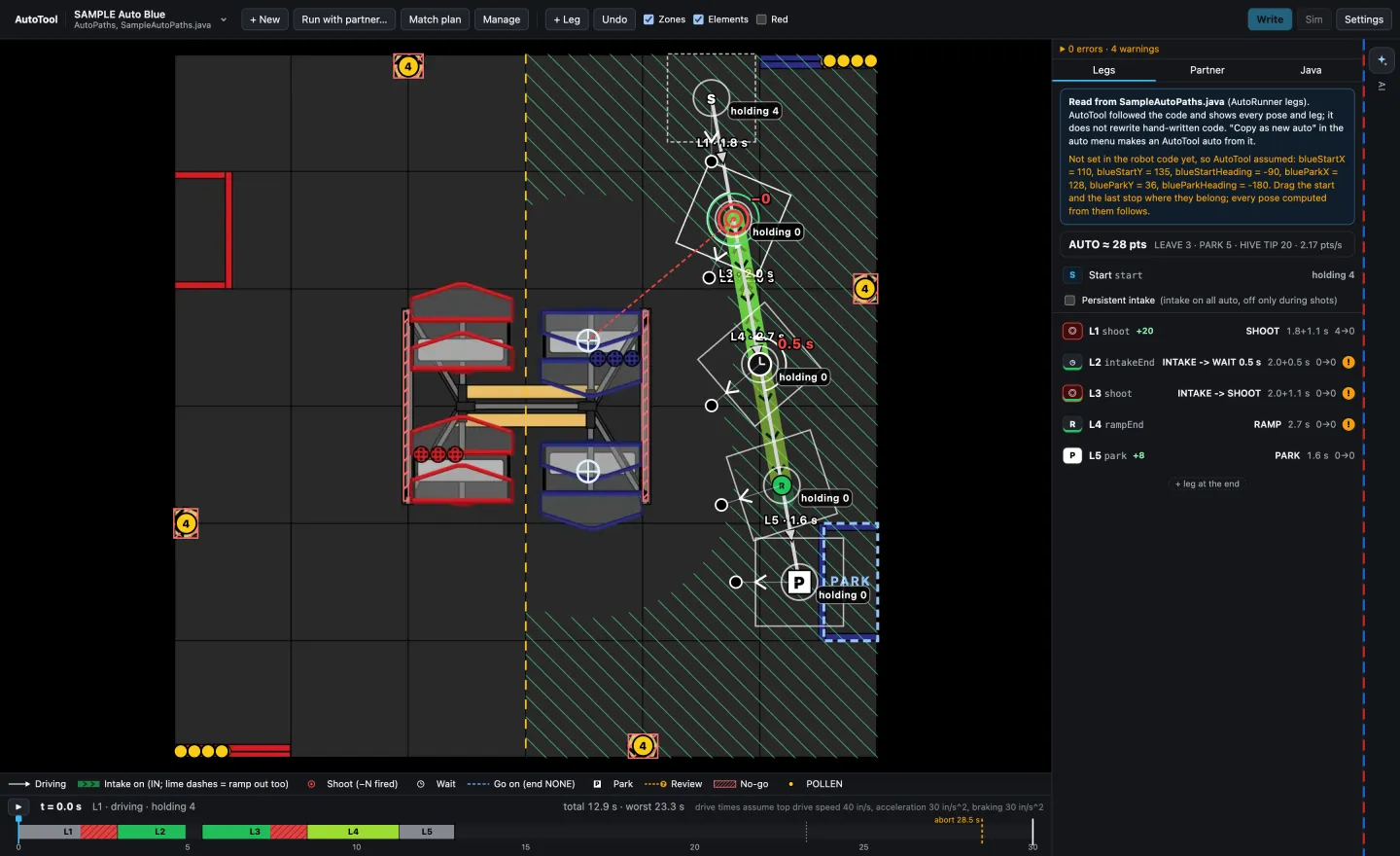
Draw an autonomous route on the field, see what the robot will do and when, edit it by typing a request, and get compile-checked robot code.
Planning the 30-second autonomous routine usually means editing robot code by hand and finding the mistakes on the field.
AutoTool lets us draw the route on a picture of the field, see exactly what the robot will do and when, and get robot code that is checked before it is written. It is open source.
Drag the robot's stops on the field, and a time bar shows when each action happens and how many points it scores.
Type something like "move shot 2 six inches closer" and the change is drawn on the field for you to approve. The AI only reads the request; every number comes from code and is checked.
Run our route beside our alliance partner's to catch collisions before the match, then print a plan for the drive team.
In testing it made up no numbers at all, and its timing came within 2% of the simulator. A full test with the AI switched on, and a timing test with students, are still to come.
A language model is good at understanding a request like "move shot 2 closer", but it should not be trusted with the numbers. Keeping every number in checked code is why the tool made up none in testing.
Compiling the code against the real robot project before saving it means mistakes are caught on a laptop, not discovered on the field.
An autonomous route that works alone can still crash into the alliance partner. Running both routes together showed that a good plan has to include the other robot on the field.